Getting Started
Portrait Dev Mode — Portrait Documentation
The Portrait platform offers a psychometric profiling Dev Mode feature.
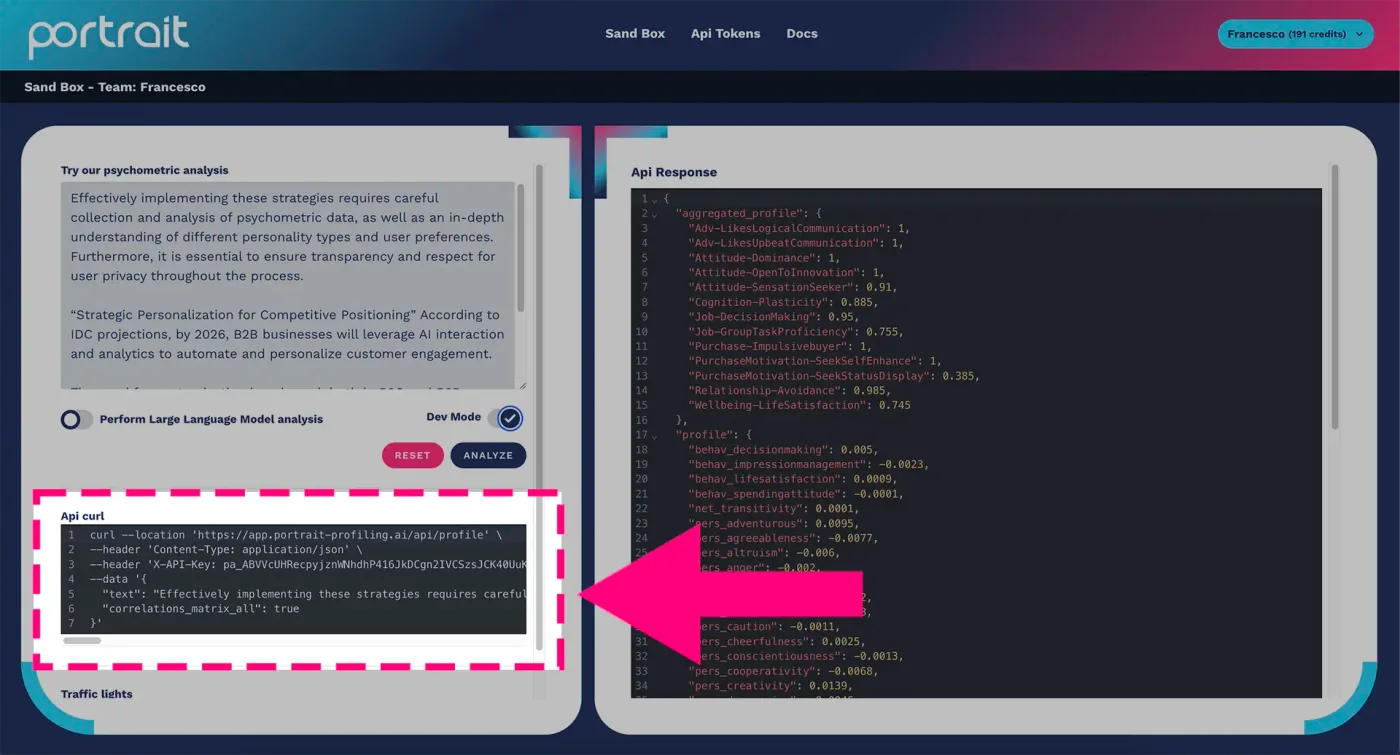
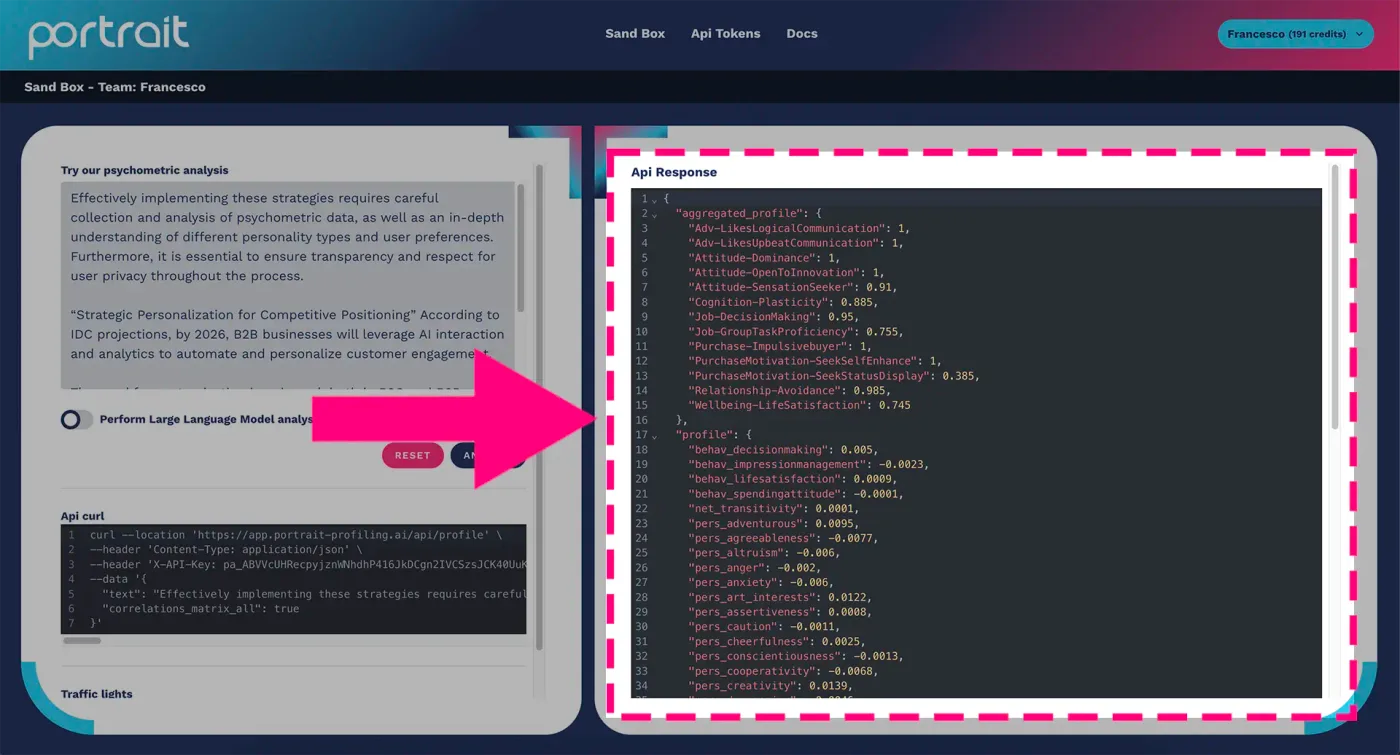
By activating the Dev Mode feature, you will be able to view the cURL request to Portrait's APIs and its related response.
A cURL call is a type of HTTP request made using the cURL command, a command-line application used to transfer data over networks using various protocols, including HTTP, HTTPS, FTP, FTPS and others. A cURL call can be used to retrieve data from a web server, send data to a server, perform integration tests, debug and much more.
The curl call code contains the data needed to integrate with Portrait's APIs. This way, you can immediately try out our psychometric profiling within your own systems.
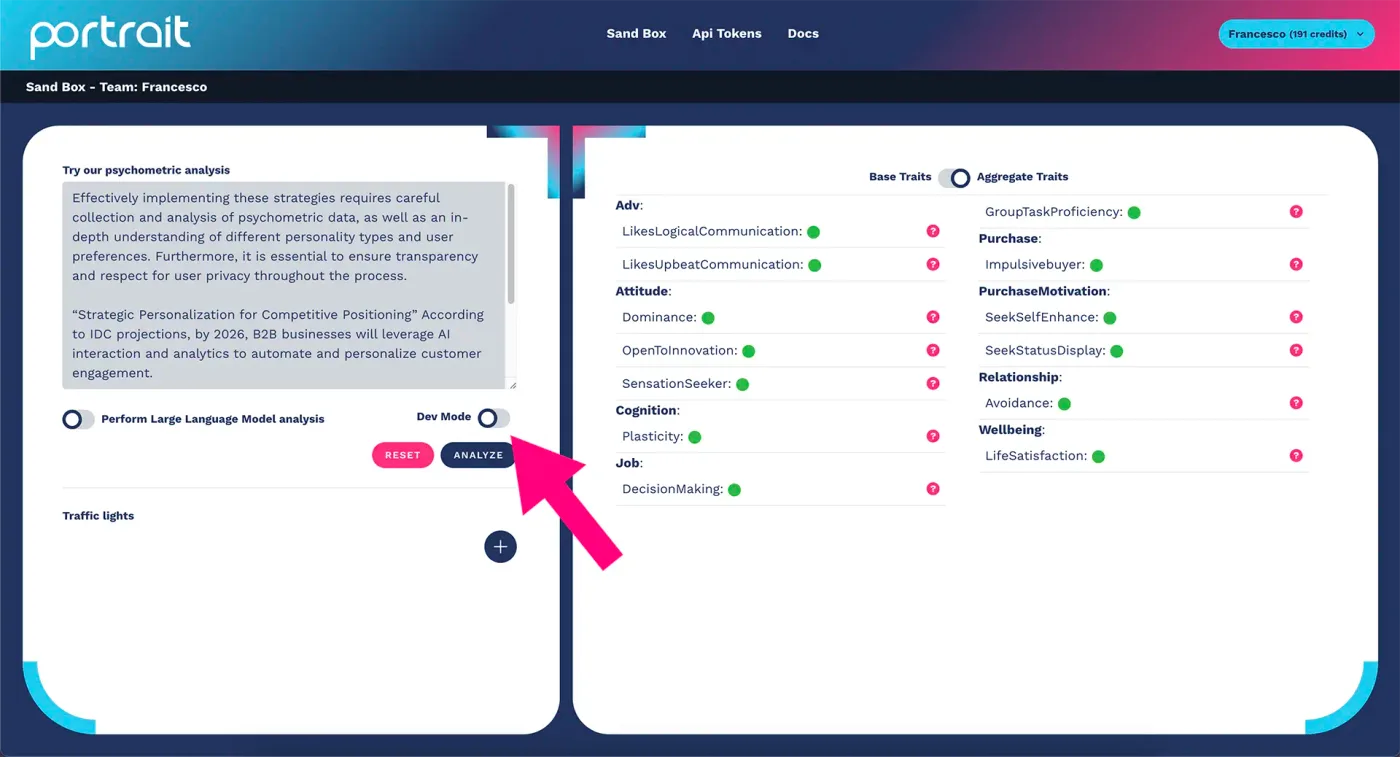
To get started with psychometric profiling Dev Mode, follow the procedure described in the series of images below.
Click on the "dev mode" button:
By activating the button, you will notice that the platform's graphic layout changes instantly. On the left side, right below the analyze button, the cURL to use will appear, as shown in the figure below:
While on the right side of the platform, the API response will be shown as JSON returned by the cURL you use, as shown in the figure below:
Click on the "dev mode" button again to return to the classic view of the Portrait platform.
If you need further information or want to request support from the Athics team, you can contact us.