Getting Started
Interpreting the profile — Portrait Documentation
To interpret Portrait's psychometric profile and get a clear idea of all the psychometric trait values that emerged, we equipped the platform with an LLM (Large Language Model).
LLMs gain knowledge on a wide range of topics through the process of training on large textual datasets from various online sources. During training, the models assimilate text and learn linguistic and conceptual relationships between words and phrases. This also includes information on topics such as psychometric analysis and psychometric traits.
Information about psychometric analysis and related psychometric traits can be found in various texts, such as psychology books, scientific articles, academic websites and online documentation. During training, the model processes and assimilates this information through the breadth of the texts it is exposed to.
Follow the procedure described below to learn its simple use.
First, activate the checkbox to interpret the psychometric profile:
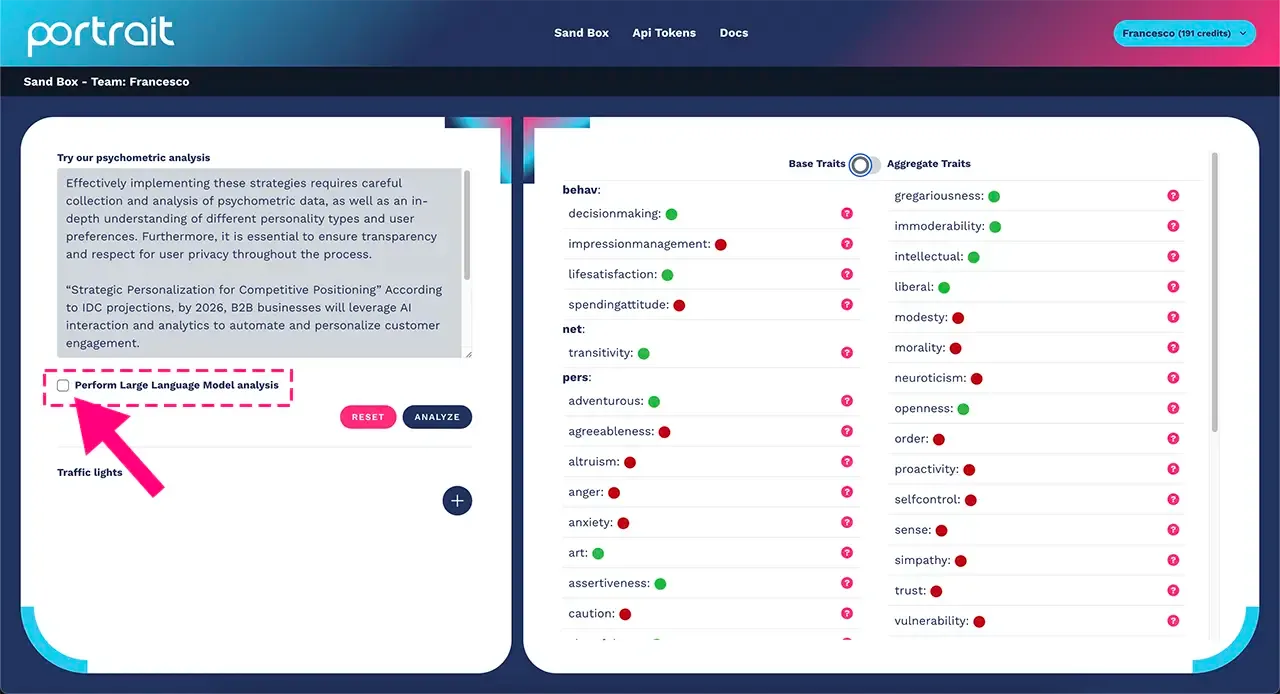
The descriptions of the psychometric traits contain a lot of information about your users' profile and can give you valuable direction for your work activities.
Write in the box highlighted in the image below what you want to know about your user:
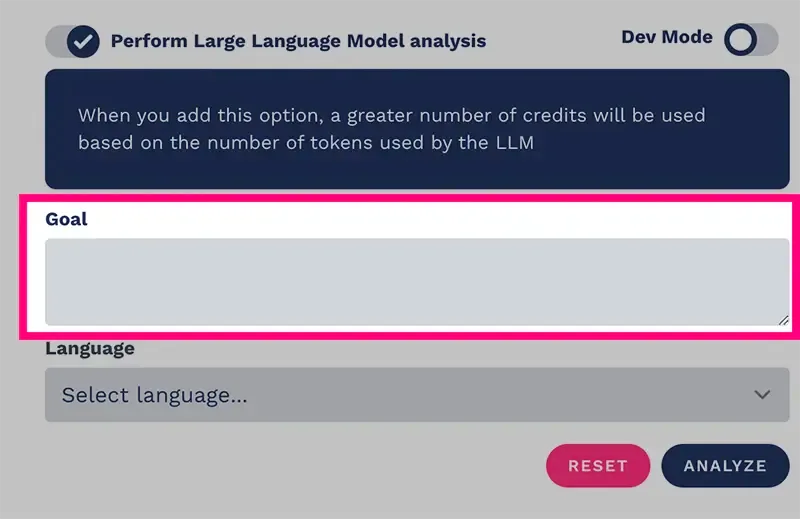
In this case we take the perspective of an HR specialist who is analyzing a resume and wants to know whether the candidate in question will be able to manage a development team of 20 people.
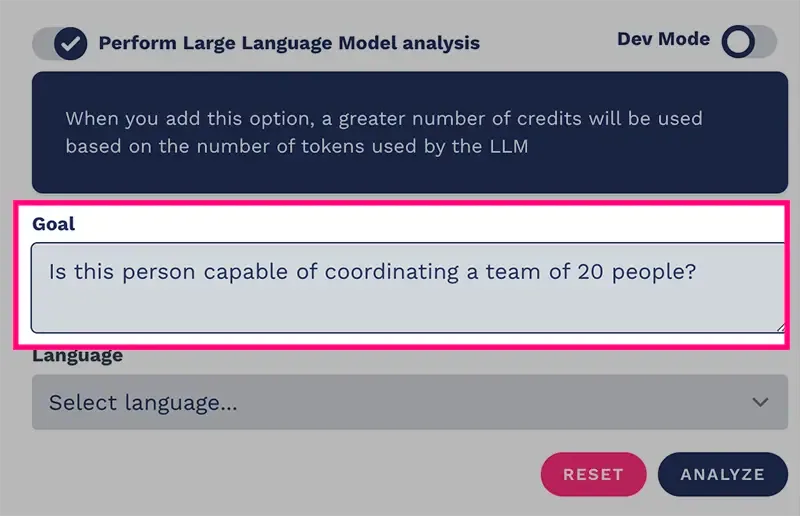
Continue by selecting the language of the output message:
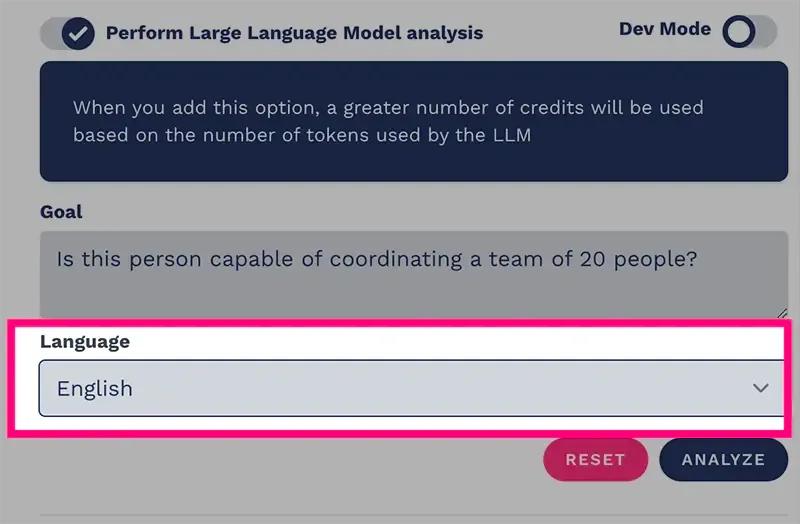
Press the "send" button to take advantage of conversational AI and get support for interpreting the psychometric profile:
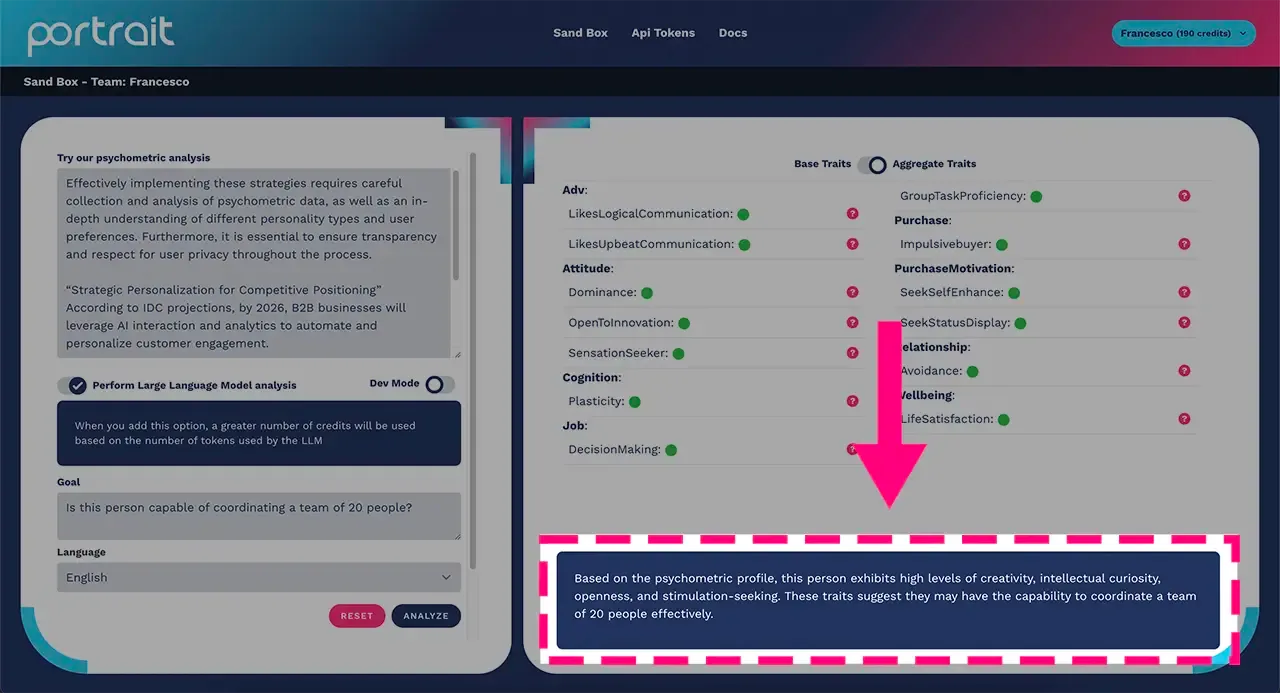
In this particular case, the large language model analyzed all the psychometric traits that emerged from Portrait's profiling and, based on the detected values, believes that the candidate is able to manage a development team of 20 people.
NB: each psychometric profiling with Portrait, with or without the LLM interpretation enabled, will consume 1 credit. You can always check the status of your credits at the top right of the platform, next to your username.